Categories
Payroll

Last date of Income Tax E-Filing

Hurry Up..!! Last Date to Submit Income Tax E-Filing u/s 139(1) [Select 11 – before due date] is 31st August 2015.

You MUST knows about new changes in ITR for AY 2015-16 -FY 2014-15


  1. Aadhar card linked added to e-verify the return instantly.
  2. Tax Refund to be pay to taxpayer within 1 month.
  3. Use Pre-fill option to fill your ITR instantly
  4. Email verification is mandatory .
  5. Email verification is mandatory.
  6. No hard-copy cost if you have Aadhar card OR Net-banking.

To know more….. Call+91  96544-21288

E-file your Income Tax return @ 499/- Only*

Know more about our support :-

  • Return to be filled by expert team of Chartered Accountants.
  • Return to be filled based on Form 26AS .
  • One year Mobile and Email support.
  • Adjustment (add: income and OR lees: Investment).
  • No more courier cost for Verification.
  • General call in mid of year if Refund claim.
  • Shared Information will be handover back to you.
  • Discount 10% on refer one person.

Call Now+91 96544-21288


Logo of PKC


Categories
Payroll

PAY ROLL MANAGEMENT – STEPWISE

STEP-WISE PAY ROLL MANAGEMENT

Step 1
Pre-requisite before taking up the payroll process work from client
– The purpose behind the re-engineering process of the entire payroll Management would be, by visit of our personnel to not only to suggest bottle necks and improvements but also to clearly share the expectations and
completely understand the scope of the payroll processing assignment .
– There will be trial run for a month to ensure that we are in line with the Expectations of the client.

Step 2
Adherence to the corporate policy
– Ensure that procedures are in place to maintain the records of Corporate Circulars and policies related to pay roll at the regular time intervals.
– Understand the salary components in terms of fixed and variable.
– Understand the benefits available to employees on monthly and yearly basis.
– Understand local laws and compliance of the same related to payroll process.
– Ensure that proper effect to the pay roll is given in accordance with the Policy guidelines defined by the Company.
– Receiving job details along with job code allocation. The job code allocation is to be given according to the type of the job description.

Step 3
Collecting time sheets with attendance sheets
If the on line system is maintained, then it will ensure automatic checking with the attendance register and time sheets. Otherwise the attendance sheets and the time sheets are to be compared manually.

Step 4
Receiving salary details
– Receiving attendance details from personnel department
– Terms of appointment
– Receiving details of salary structure
– Receiving details of Promotion, Increment and Confirmation

Promotion

Changes of Grade, Salary Structure, Department etc. will be initiated in case of promotion on the basis of the information received from personnel department.
Increment
The increment letter of an employee is to be forwarded to us and necessary changes are to be incorporated in the system.
Confirmation
Confirmation letters are to be forwarded to us and necessary changes are to be incorporated in the system.

– Details of disciplinary action taken
Every disciplinary action is based on certain terms and conditions. That terms and conditions, if it has any effect on salary, the same to be incorporated in the system.
– Receiving details of Resignation and Retirement
Resignation
At the time of resignation an exit interview is to be conducted. The final settlement is to be disbursed, based on the notice period.
Retirement
Retirement can be normal or voluntary. Accordingly the final settlement is to be made.
– Receiving the details of Employee Advance
Step 5
UPDATING SALARY DETAILS
– The terms of appointment
– Salary Structure
– Annual benefits
– Attendance details
– Overtime details
– The details of reimbursement
– The promotion, increment and confirmation details
– The details of departmental transfers
– The details of resignation, retirement and retrenchment
– The employee advance position
Step 6
GENERATION OF REPORTS FOR CHECKING
– Salary register
– Variance Report
Step 7
RECTIFICATION OF CORRECTIONS / MODIFICATIONS
Step 8
GENERATION OF REPORTS
– Salary register (Monthly)
– Pay slips
– Advance register
– Bank Statement
– Other deductions and allowance statement
MIS REPORTS
– As per clients requirements.
– Reports to comply with local authorities, if any.

download

@Akumar – ajityadav121@gmail.com


Categories
80C Deductions ESIC Excel Formulas & VBA Code Gratuity House Rent Allowance (HRA) Human Resource (HR) India Payroll LTA Others Payroll Provident Fund (PF) Salary Tax Return (ITR)

Know your job skill in your company?

Classification of skills Category (Employee)


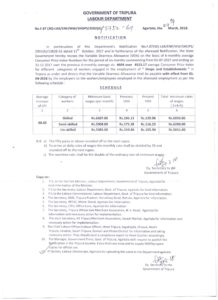
(A) Highly skilled- Highly skilled work employee is one who does the work which involves skill or competence of extra-ordinary degree and possesses supervisory ability.

(B) Skilled- Skilled employee is one who is capable of working independently and efficiently and turning out accurate working. He must be capable of reading and working on simple drawing circuits and process, if necessary. (ELECTRICIN, MECHANIC, TAILORS, COOKS Comes in skilled category)

(C) Semi-skilled- Semi-skilled employee is one who has sufficient knowledge of the particular trade or above to do respective work and simple job with the help of simple tools and machines.( GATEKEEPER(CINEMA),ASST. OPERATOR, ASST ELECTRICIAN, BOOKBINDER
,WAITER OR BEARER, MALI WITH TECHNICAL EXPERIENCE comes in unskilled category)

(D) Un-skilled- Un-skilled employee is one who possesses no special training and whose work involves the performance of the simple duties which require the exercise of little or no independent judgment or previous experience although a familiarity with the occupational environment is necessary. (UNSKILLED: PEON, CHOWKIDAR, DURBAN, WATCHMAN, CLEANER, SWEEPER, LOADER, HELPER, MALI comes in unskilled category.)

CLERICAL AND SUPERVISIORY STAFF: BOOK CLERK, TYPIST, RECEPTIONIST, TELEPHONE OPERATOR, TRAVELLING SALESMAN, comes in this category.

Categories
Excel Formulas & VBA Code Human Resource (HR) India Payroll Others Payroll

Yours Salary Pay Slip! All about

Click here to download Salary Pay slip Format in Excel

A salary slip is a legal financial document that contains an itemized account of an employee’s salary or wage payment and the deductions occurred during the allotted time period. A salary slip is referred to as a slip because of the small size of the piece of paper. Each salary slip should consist of these itemized details: Basic payment, the employee’s gross pay, and income Tax, state taxes withheld insurance, Medicare and social security deductions, holiday, PF Deduction and sick time available, holiday pay, retirement plan contributions, wage garnishments and net pay.

Every company provides their employees with one. A salary slip is an essential tool for record keeping for both the employer and the employee.

Pay slip format

Categories
Payroll

CURRENT Minimum Wages – 25-6-2015

Hey all, download the CURRENT Minimum Wages – 25-6-2015.

CURRENT Minimum Wages – 25-6-2015


minimum-wages-ppt-1-638

Categories
Payroll

Thank You So Much For Download And Use My Shared File

My file download counter 8191 times on Citehr.com. Thank you so much for download and use my shared file.

Thanks for inspire and motivate me!! and keep continue to download my future file/ Engine. I’ve made some really great friends here

Profile URl: http://www.citehr.com/member.php?u=2827349


8191 Downloads

Shared file are valuable!? please share it to other leave your feedback.

Thank You again!

Ajit +91 9654421288

Categories
Gratuity

Payment of Gratuity Act, Continuous service Section 2-A

Payment of Gratuity Act, Continuous service Section 2-A

Section 2-A: Continuous service
For the purposes of this Act,-

(1) an employee shall be said to be in continuous service for a period if he has, for that period, been in uninterrupted service, including service which may be interrupted on account of sickness, accident, leave, absence from duty without leave (not being absence in respect of which an order [* * *] treating the absence as break in service has been passed in accordance with the standing orders, rules or regulations governing the employees of the establishment), lay-off, strike or a lock-out or cessation of work not due to any fault of the employee, whether such uninterrupted or interrupted service was rendered before or after the commencement of this Act ;

 (2) where an employee (not being, an employee employed in a seasonal establishment) is not in continuous service
within the meaning of clause (1), for any period of one year or six months, he shall be deemed to be in continuous service under the employer-

(a) for the said period of one year, if the employee during the period of twelve calendar months preceding the date with reference to which calculation is to be made, has actually worked under the employer for not less than-
(i) one hundred and ninety days, in the case of an employee employed below the ground in a mine or in an establishment which works for less than six days in a week ; and
(ii) two hundred and forty days, in any other case ;
(b) for the said period of six months, if the employee during the period of six calendar months preceding the date with reference to which the calculation is to be made, has actually worked under the employer for not less than –
(i) ninety-five days, in the case of an employee employed below the ground in a mine or in an establishment which
works for less than six days in a week ; and
(ii) one hundred and twenty days, in any other case ;
Explanation.- For the purposes of clause (2), the number of days on which an employee has actually worked under
an employer shall include the days on which-
(i) he has been laid-off under an agreement or as permitted by standing orders made under the Industrial Employment (Standing Orders) Act, 1946 (20 of 1946), or under the Industrial Disputes Act, 1947 ( 14 of 1947), or under any other law applicable to the establishment ;
(ii) he has been on leave with full wages, earned in the previous year ;
(iii) he has been absent due to temporary disablement caused by accident arising out of and in the course of his
employment ; and
(iv) in the case of a female, she has been on maternity leave ; so, however, that the total period of such maternity
leave does not exceed twelve weeks.
(3) where an employee, employed in a seasonal establishment, is not in continuous service within the meaning of
clause (1), for any period of one year or six months, he shall be deemed to be in continuous service under the
employer for such period if he has actually worked for not less than seventy-five per cent of the number of days on
which the establishment was in operation during such period.

Categories
India Payroll Payroll Tax Return (ITR)

Budget 2015 (highlights)

Download Budget 2015 (highlights)

As you are aware that, Finance Budget (bill) 2015 was presented in the Indian Parliament by Finance Minister Mr. Arun Jaitley on February 28, 2015.

The Budget has reiterated the commitment to introduce GST w.e.f. April 1, 2016 and Direct Tax Code in offing has been more or less been shelved. Budget has rationalized many of existing provisions meeting the Industry expectation like giving comfort under Income Tax Act w.r.t. doubt over the taxability post Vodafone judgment. Tax benefits have been proposed towards implementation of the Government’s key projects in India’, ‘Digital India’, Skill India, ‘Ease of Doing Business’ and ‘Swachh Bharat (Clean India)’. Budget has also relaxed procedural issues faced by industry and corrected few of the erroneous provision of Act and Rules.

Some of the specific changes impacting us individually and Companies are as follows:

Direct Taxes: Key changes for individuals (Impacting in Payroll Calculation)

  1. No change in the tax rate slabs for the individuals.
  2. Additional Surcharge introduced, for Individuals, HUF, AOP or BOI @ 2% on total income exceeding Rs 1 crore.
  3. Limit of contribution under section 80CCC to pension fund increased to Rs 5 lakhs from Rs 1 lakh.
  4. 80D -health insurance premium deduction limit increased to Rs 25000, from 15000.
  5. 80D – For senior citizens, health insurance premium deduction limit increased to Rs 30,000.
  6. 80DDB max limit up to 80000, from existing 60000.
  7. PAN is mandatory for all transactions on purchase or transfer of property above Rs 1 lakh, this is to curb black money.
  8. Exempted from tax on transportation allowance is increased to Rs 1600 per month from Rs 800 per month.
  9. Contribution to Sukanya Samridhi account, Swach Bharat kosh, and Clean ganga fund are deductible from total income.
  10. The employee earning income under a specified limit will have the option for either investment in new pension scheme or contribution to EPF.
  11. Additional deduction of Rs 50000 under section 80CCD contribution.
  12. On failure to furnish return of income or on concealment of income, in relating to the foreign assets the penalty upto 300% of tax evaded and imprisonment of 10 years.

Direct Taxes: Key changes for Companies

  1. The corporate tax rate to be reduced from 30% to 25% over the next 4 years, and simultaneously eliminate the exemptions under the act.
  2. The rate of tax for foreign companies as covered under section 115A for income by way of royalty and fees for technical services has been reduced to 10%. (from 1st April 2016).
  3. Dividend distribution tax rate increased to 12% . The Tax Deduction at Source, Tax Collection at Source and advance tax payments will now be at the increased rates .
  4. The threshold limit of audit under the provision of transfer pricing of the specified domestic transaction covered under section 92BA increased to Rs. 20 crore from Rs 5 crore earlier.( from 1stApril 2016).
  5. GAAR provision shall apply from 1st April 2018.
  6. Wealth tax act 1957 has been abolished from 1st April 2016.

Indirect tax

  1. Tariff rate of basic excise duty rate increased from 12% to 12.5% (effective from 1.3.2015) Excise duty for Polypropylene and Sulphur increased from 12% to 12.5%.
  2. Service tax rate increased from 12.36% to 14% (effective from date finance bill is passed ).
  3. Additional Swatch Bharat CESS levied 2% on taxable value of services, (date to be notified).

      Reading 2 & 3 together effective rate of service tax will be 16%

  1. Excise duty on MS & HSD remain as it is however CENVAT duty portion reduced and Special Additional Duty ( SAD ) has been increased as follows.
  2. SAD for Naphtha import reduced from 4% to 2%.
  3. Period for return of job work material increased from 6 months to 2 years.
  4. Presently document for CENVAT credit for input and input service should not be more than 6 month prior to date of taking credit the period has been increased to 1 year.
  5. Rationalization in penalty provision under CENVAT Credit Rules.
  6. Digital signature provisions introduced w r t service tax and excise.
  7. CENVAT credit for both full and partial reverse charge payment allowed once service tax payment is done and payment of service provider to happen in 3 months. Earlier this was limited to full reverse charge cases.
Categories
Payroll

Payroll Manager Job Description

In Short : To manage, direct, control and process the company’s payroll and all other payroll related duties

Key responsibilities/accountabilities:

  • Coordination and management of entire payroll function.
  • Manage and supervise direct reports within the Payroll Team.
  • Assist with administering payrolls (month end consolidation and processing support as required).
  • Checking and auditing of all payrolls, ensuring legislative & award compliance (tax compliance, superannuation etc).
  • Reporting – Supporting Internal reporting requirements eg. Annual leave & Intercompany reports etc.
  • Projects as required ie. continual improvement and standardization of payroll operations and systems.
  • Manage Company Benefit programs eg Novated Lease, Superannuation, Medical if applicable.


Possible additional responsibilities/accountabilities:

  • Calculation and payment of termination payments (resignation/retirement/redundancy).
  • Payment and reconciliation of bonus payments.
  • Calculation, payment and reconciliation of payroll tax and group tax.
  • Administration, calculation, payment and reconciliation of all superannuation contributions.
  • Liaison with management and staff regarding all pay enquiries.
  • Preparation and reconciliation of monthly General Ledger wages journals.
  • Preparation and reconciliation of payment summaries.
  • Develop and update payroll reference manual for managers.
  • Perform system upgrades.
  • Ensure prompt maintenance of staff records at all times including archiving and filing.
  • Preparation of ad hoc reports as required.
  • Liaise with HR re staff appointments, terminations, remuneration, conditions of service and other relevant matters.
  • Workers compensation co-ordination i.e. process, monitor and file all claims and prepare payments.


Competencies required (knowledge, skills and abilities):

  • Comprehensive and working knowledge of payroll systems.
  • Demonstrated payroll management experience.
  • Demonstrated team leadership ability.
  • Attention to detail.
  • Ability to create, review and supply policies and procedures.
  • Legislative and award compliance – ability to interpret relevant awards and legislation.
  • Business process improvement experience.
  • Problem solving.
  • Analytical skills.
  • Numeracy skills – reconciliations and statistics.
  • Customer Service focus.
  • Excellent written and spoken communication skills.
  • Project Management.
Categories
Payroll

Uploading Income Tax Returns: e-Verification (Net Banking, Non – Net Banking) – User Manual

E-Verification while uploading a return (Non – NetBanking)


  1. Upload Return ->  Click Submit
  2. The Return is uploaded (Pending for e-Verification)
  3. Four e-Verification options provided – Taxpayer can choose any one of the options provided to e-Verify the return.
  • Option-1 -> “I already have an EVC and I would like to Submit EVC”
  • Option-2 ->  “I do not have an EVC and I would like to generate an EVC”
  • Option-3 ->  “I would like to generate Aadhaar OTP to e-Verify my return”
  • Option-4  -> “I would like to e-Verify later/ I would like to send ITR-V”

Option – 1 – “I already have an EVC and I would like to Submit EVC”

  • Step 1: Provide the EVC in the text box Click Submit.
  • Step 2: Download the Acknowledgement (No Further action required).

Option 2 – “I do not have an EVC and I would like to generate an EVC”

Two options are provided – Taxpayer can choose any one of the options if they do not have an EVC

  • Generate EVC through NetBanking. 
  • Generate EVC to registered Email Id and Mobile Number.

Generate EVC through NetBanking:
Step 1: Login to e-Filing Portal through NetBanking.
Step 2: Click on e-Verify return.

Generate EVC to registered Email Id and Mobile Number:
Step 1: Enter the EVC sent to your registered Email Id / Mobile Number and Submit to e-Verify return.
Step 2: Download the Acknowledgement (No Further action required).

Option 3 – “I would like to generate Aadhaar OTP to e-Verify my return”
Pre-requisite: Taxpayer’s PAN and Aadhaar should be linked.
If Aadhaar is not linked, click on Link Aadhaar button and link the Aadhaar.
  • Step 1: Enter the Aadhaar OTP sent to your Mobile Number registered with Aadhaar and Submit to e-Verify return.
  • Step 2: Download the Acknowledgement (No Further action required).

Option 4 – “I would like to e-Verify later/ I would like to send ITR-V”

  • Step 1: Click on Continue Download ITR-V
  • Step 2: Submit ITR-V to CPC, Bangalore.
e-Verification of an already uploaded return (Non – Net Banking)


  1. Click e-Verify Return under e-file.
  2. Uploaded returns (120 Days) which are yet to be e-Verified are displayed in a table.
  3. Click on e-Verify (for the return already uploaded)
  4. Three e-Verification options provided – Taxpayer can choose any one of the options provided to e-Verify the return.
  • Option-1 -> “I already have an EVC and I would like to Submit EVC”
  • Option-2  -> “I do not have an EVC and I would like to generate an EVC”
  • Option-3 -> “I would like to generate Aadhaar OTP to e-Verify my return”
Option 1 – “I already have an EVC and I would like to Submit EVC”
  • Step 1: Provide the EVC in the text box Click Submit.
  • Step 2: Download the Acknowledgement (No Further action required).
Option 2 – “I do not have an EVC and I would like to generate an EVC”Two options are provided – Taxpayer can choose any one of the options if they do not have an EVC

  • Generate EVC through NetBanking.
  • Generate EVC to registered Email Id and Mobile Number.
Generate EVC through Net-Banking:
  • Step 1: Login to e-Filing Portal through Ne Banking.
  • Step 2: Click on e-Verify return.
Generate EVC to registered Email Id and Mobile Number:
  • Step 1: Enter the EVC sent to your registered Email Id / Mobile Number and Submit to e-Verify return.
  • Step 2: Download the Acknowledgement (No Further action required).
Option 3 – “I would like to generate Aadhaar OTP to e-Verify my return”
Pre-requisite: Taxpayer’s PAN and Aadhaar should be linked.
If Aadhaar is not linked, click on Link Aadhaar button and link the Aadhaar.
  • Step 1: Enter the Aadhaar OTP sent to your Mobile Number registered with Aadhaar and Submit to e-Verify return.
  • Step 2: Download the Acknowledgement (No Further action required).
e-Verification while uploading a return through Net Banking Login
  1. Login to e-Filing through NetBanking
  2. Upload Return Click Submit
  3. The Return is uploaded (Pending for e-Verification)
  4. Three e-Verification options provided – Taxpayer can choose any one of the options provided to e-Verify the return.
  • Option-1 ->  “I would like to e-Verify my return now”
  • Option-2 ->   “I would like to generate Aadhaar OTP to e-Verify my return”
  • Option-3  ->  “I would like to e-Verify later/ I would like to send ITR-V”
Option-1 – “I would like to e-Verify my return now”
  • Step 1: Click on “I would like to e-Verify my return now”  Click Continue
  • Step 2: Download the Acknowledgement (No Further action required).
Option 2 – “I would like to generate Aadhaar OTP to e-Verify my return”
Pre-requisite: Taxpayer’s PAN and Aadhaar should be linked.
If Aadhaar is not linked, click on Link Aadhaar button and link the Aadhaar.
  • Step 1: Enter the Aadhaar OTP sent to your Mobile Number registered with Aadhaar and Submit to e-Verify return.
  • Step 2: Download the Acknowledgement (No Further action required).
Option 3 – “I would like to e-Verify later/ I would like to send ITR-V”
  • Step 1: Click on Continue Download ITR-V
  • Step 2: Submit ITR-V to CPC, Bangalore.

Note: User who has already uploaded the return and opts to e-Verify the existing return can use the above mentioned options other than Option 3.